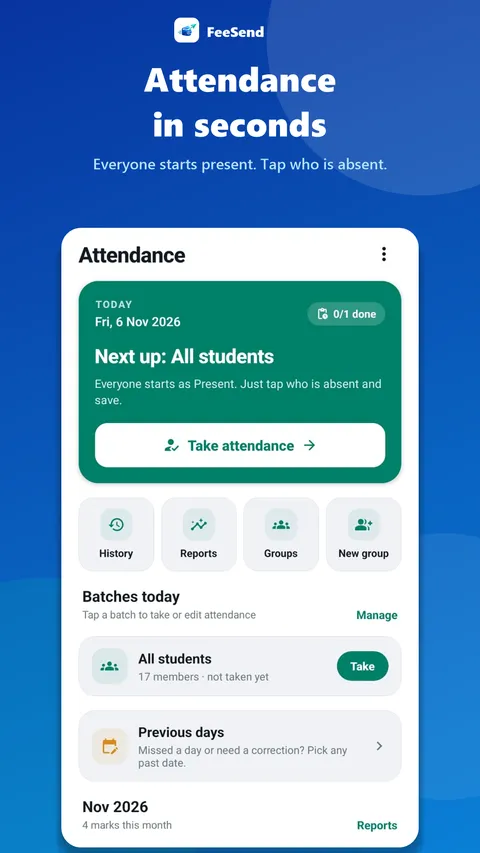
Take attendance in seconds
Run a quick roll call for any batch, fix past days when needed, and see attendance reports – in the same app where you track fees.
How it works
- Open a batch or group.
- Mark each member present or absent in a quick roll call.
- Edit past days if you missed one.
- See attendance reports for each member.
Fees and attendance together
When attendance and fees live in the same app, you can see at a glance who is still coming but hasn't paid, and who has stopped coming. That makes follow-ups faster and fairer.
Attendance works for any group: batches, classes, shifts or time slots.
Spot drop-offs early
A member who stops attending usually stops paying a month later. Looking at attendance once a week shows you who to call before you lose them – a short "we missed you" message brings many back.
Frequently asked questions
Can I mark attendance for a day I missed?
Yes. You can edit past days. Future dates are blocked so records stay accurate.
Can I tell parents when a child is absent?
Yes. Send the ready-made absent message from your WhatsApp in one tap.
Collect fees on time, from your phone
Add your members, track monthly fees and send ready-made reminders from your own WhatsApp in one tap. 7 days free.