Track monthly fees without a register
Every member gets a monthly fee and due day. Tap a month to mark it paid and FeeSend always shows who has paid and who is pending.
How it works
- Add a member with their phone number, monthly fee and due day.
- Each month, FeeSend lists everyone whose fee is due.
- Tap a month to mark it paid when money arrives.
- Check any member's full fee history in seconds.
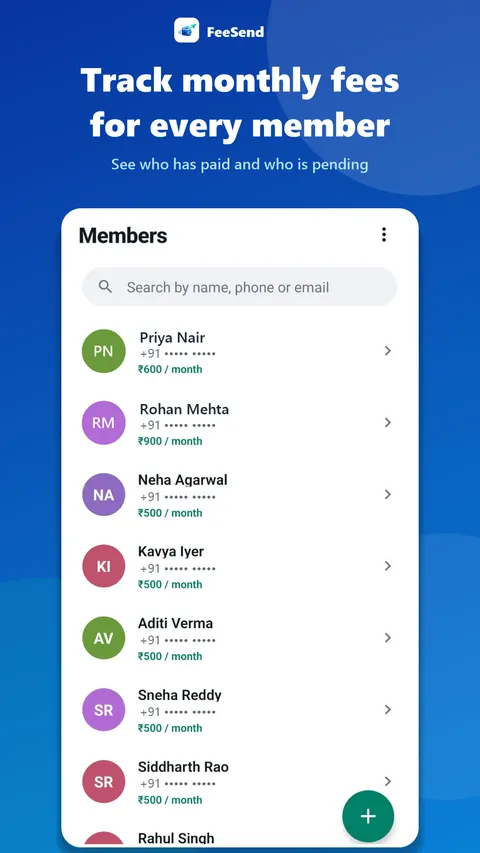
One list instead of a notebook
A fee register works until it doesn't: pages fill up, entries get missed, and finding out who is still pending means reading every line. In FeeSend, the pending list builds itself from each member's fee and due day.
Fees are in rupees, and each member can have their own amount – useful when batches, plans or discounts differ.
History you can trust
Open any member to see every month they have paid. When a parent says "I already paid for March", you can check in a second instead of searching through old pages.
Frequently asked questions
Can different members have different fees?
Yes. Each member has their own monthly fee and due day.
Can I mark a past month as paid?
Yes. Tap any month in the member's fee history to mark it paid or unpaid.
Collect fees on time, from your phone
Add your members, track monthly fees and send ready-made reminders from your own WhatsApp in one tap. 7 days free.